Nx 20: Exploring the new TS preset and TypeScript project references
November 23, 2024
Nx 20 introduces a new TS preset, allowing developers to generate workspaces that leverage TypeScript project references. Given the promising claims, the confusion in the community, and the lack of literature on it, I decided to explore the feature.
What are project references?
Project references were introduced in TypeScript 3.0 back in 2018. This feature allows you to split the code into smaller units and define explicit relationships between them. It ensures that only the changed units and their dependencies are recompiled, resulting in faster builds, improved code isolation, and a better IDE experience. This feature is well-suited for defining projects in a monorepo.
tsconfig.base.json configuration.How to leverage project references in Nx?
Generating a new workspace with project references
Nx 20 provides a new ts preset that leverages project references. Here’s how to create a new workspace with this setup:
- Create a workspace with the
tspreset:
npx create-nx-workspace @org --preset=tsThis command creates a new workspace using the ts preset, which configures the project to use TypeScript project references. For all available options, see the create-nx-workspace documentation.
- Generate libraries with the
tscbundler:
nx g @nx/js:lib packages/my-lib --bundler=tsc
nx g @nx/js:lib packages/my-shared-lib --bundler=tsc
These commands the generator to create two libraries within the packages directory. The --bundler=tsc flag specifies using the TypeScript compiler (tsc) for building these libraries.
- Declare project dependencies:
// packages/my-lib/package.json
{
  "dependencies": {
    "@org/my-shared-lib": "workspace:*"
  }
}
Here, you explicitly declare dependencies in your package.json files. This tells Nx which projects your library relies on. Nx uses this information to manage project references.
- Update TypeScript references:
While project references offer benefits, manually maintaining them in tsconfig files can be cumbersome. Nx provides the nx sync command:
nx syncThis command automatically updates TypeScript references based on the project dependencies declared in package.json files. It ensures your project references are always in sync.
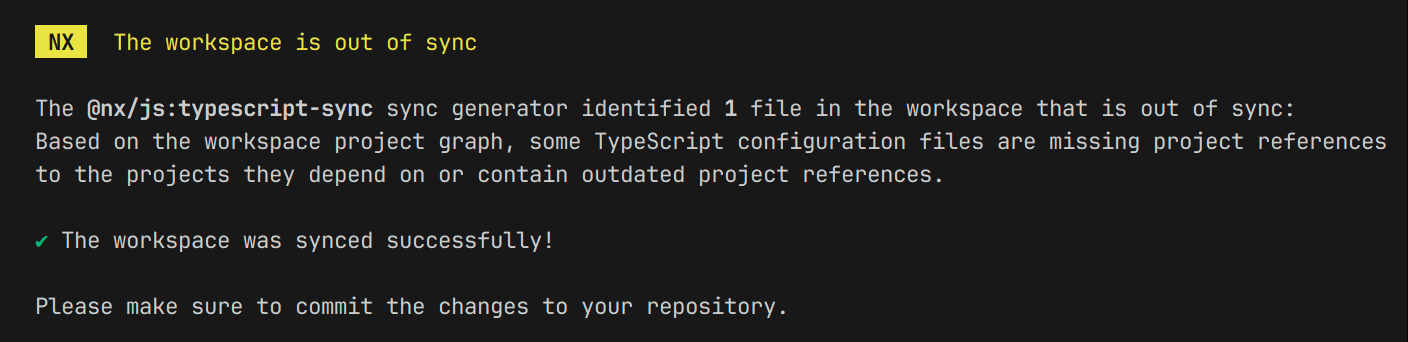
"workspaces": ["packages/*"] property in the root package.json to analyze dependencies and sync references.You can tell Nx to automatically sync references when running the build and typecheck targets by setting up the sync property in nx.json:
{
  "$schema": "packages/nx/schemas/nx-schema.json",
  "sync": {
    "applyChanges": true
  }
}- Build the library:
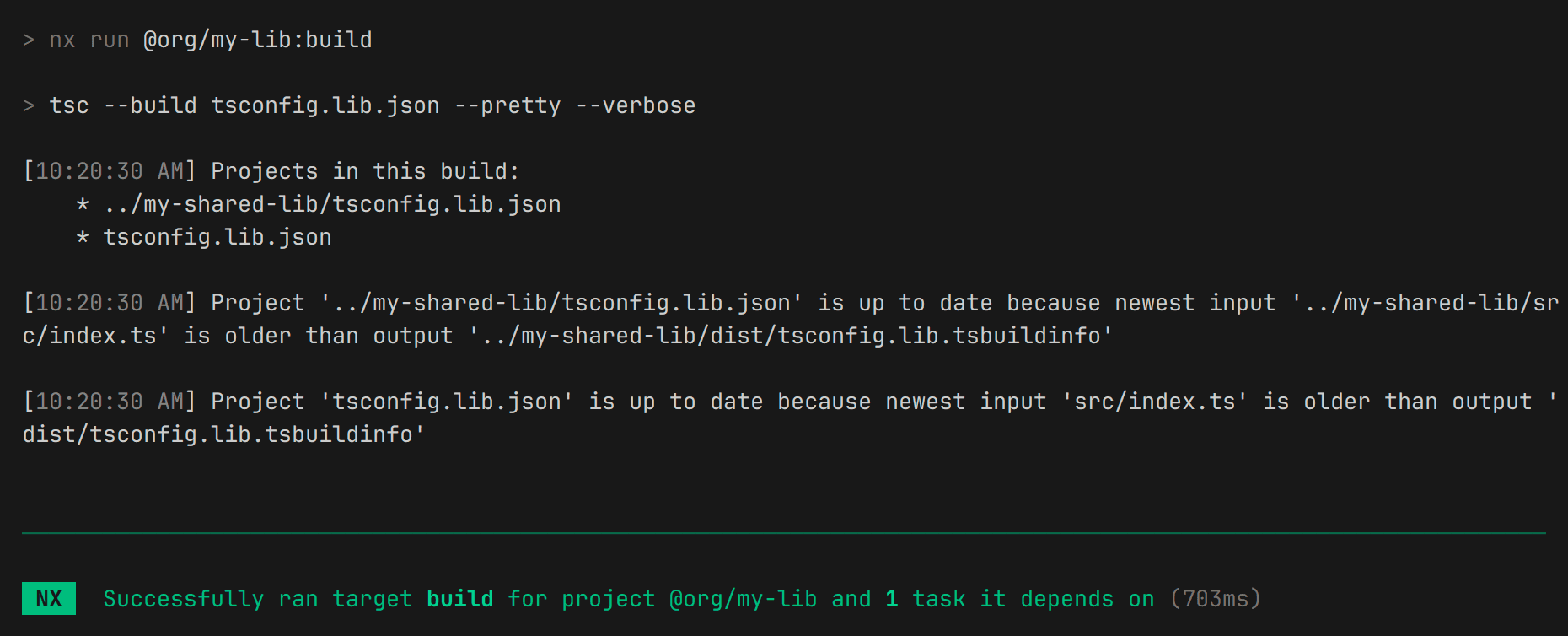
With everything configured, you can build your library using the standard Nx command:
nx build @org/my-libThe build target leverages TypeScript project references to only recompile the necessary parts of your codebase, resulting in faster builds (up to 3 times).
Demo repository
📂 Here’s a demo repository that shows all the differences between the traditional integrated repository generated using the apps preset and the ts preset:
Migrating existing workspaces
Migrating to TypeScript project references is, unfortunately, a challenging process.
The traditional path aliases approach used in integrated workspaces is incompatible with project references. Since these configurations cannot coexist, migration requires a complete refactoring, leaving no option for incremental updates.
Additionally, most Nx plugins (Angular, React, Vue, Node) are not yet compatible with project references. Migration is thus feasible only for small, package-based, framework-agnostic monorepos—a minority of real-world scenarios.
If you’re still determined to proceed, a manual approach is necessary:
- Create a new workspace: Start with a new workspace configured using the
tspreset (see the previous section). - Generate libraries: Generate a few libraries to establish the desired structure.
- Compare and apply configurations: Compare the new workspace’s setup with your existing one, applying necessary changes in one single refactoring.
Clarifying confusing points
Nx incremental builds vs. TypeScript incremental builds
While both Nx and TypeScript offer incremental build capabilities, it’s important to distinguish between them:
- TypeScript incremental builds: Focuses on the fine-grained level of individual files and modules. It leverages project references to identify dependencies and recompile only the affected parts of your codebase.
- Nx incremental builds: Takes a broader perspective, considering the entire monorepo. Nx analyzes the project graph to determine which parts of the codebase are impacted by a change, optimizing the build process at the project level.
Both Nx and TypeScript incrementally recompile only the necessary parts of your code. However, Nx operates at a higher level, offering more features like remote caching (Nx Replay), distributed tasks execution (Nx Agents), and first-class integration with your CI provider.
Package-based repos, integrated repos, and the ts preset
- Package-based repos: Traditional approach for monorepos where each package is an independent project with its own
package.jsonand nestednode_modules. - Integrated repositories: Nx’s original approach, where dependencies are shared between projects at the root level in
tsconfig.base.jsonusing path aliases. tspreset: This new approach leverages TypeScript’s project references along with individualpackage.jsonto declare dependencies between projects.
The ts preset aims to become the standard approach for new Nx projects, eventually replacing the integrated setup. While it offers significant advantages, it’s still in its early stages.
Overview of the ts preset and TypeScript project references
Key benefits
- 🚀 Faster builds and type-checking
Only changed projects and their dependencies are recompiled, not the entire repository. This is particularly beneficial for large monorepos. - 💻 Improved IDE experience
TypeScript’s Language Server Protocol (LSP) benefits from faster type-checking and autocomplete, along with more accurate Go-To-Definition viadeclarationMap. - 🔒 Enforced project boundaries
Imports from arbitrary projects are disallowed unless explicitly referenced, ensuring stricter code organization.
Current limitations
- 🛑 No migration path for existing workspaces
Existing Nx workspaces using path aliases cannot be easily migrated to project references. This requires starting with a new workspace. - 📝 Manual dependency configuration
Dependencies between projects must be explicitly declared inpackage.jsonfiles for Nx to sync references correctly. - ⚙️ Complex setup with overhead
This setup is not the default in Nx and is considerably more complex than configuring path aliases. - ❌ Lack of framework support
Most plugins, including Angular, React, Vue, and Node, aren’t supported at the moment.
Ecosystem support
The table summarizes ecosystem support for TypeScript project references.
| Tool | Link | Status |
|---|---|---|
| Webpack | ts-loader | 🟢 Supported |
| Rspack | Rspack Documentation | 🟢 Supported |
| Rollup | rollup-plugin-typescript2 | 🟢 Supported |
| Vue | Vue Documentation | 🟢 Supported |
| ESBuild | GitHub Issue | 🔴 No support |
| SWC | GitHub Discussion | 🔴 No support |
| Angular | GitHub Issue | 🔴 No support |
nx add @nx/react or choosing the React stack with npx create-nx-workspace.A promising future for large TypeScript monorepos
Nx 20’s introduction of the ts preset and TypeScript project references marking a promising step toward scalable and efficient TypeScript code management. By leveraging these features, you can achieve faster build times, improve DX, and enhance code organization.
While the ts preset offers numerous benefits, it’s essential to consider the current limitations. The lack of migration paths for existing workspaces, limited framework support, and the configuration overhead limit the adoption for most projects.
However, the potential for future improvements make it a promising approach for large-scale monorepos. As the Nx team works on supporting TypeScript better (see Nx 2025 roadmap), we can expect progress in this area.
References
- TypeScript Docs - Project References by TypeScript
- Nx Docs - Configure TypeScript Project References in an Nx Workspace by Nx
- Announcing Nx 20 - TypeScript Project References For Monorepos by Nx
- Benchmarking TS Project Reference Changes 📊 by Jack Hsu
- Migrating Large TypeScript Codebases To Project References by Shopify
- Boost your productivity with TypeScript project references by LogRocket
- ixahmedxi/typescript-monorepo-demo by Ahmed Elsakaan
Upvote what you'd like me to write about next.
- Nx DTE vs CI job matrixNx Distributed Task Execution (DTE) vs a traditional CI job matrix with manual sharding: a comparison of developer experience, performance, and reliability.
- Are you ready for a monorepo?An opinionated checklist to help you decide whether a monorepo is the right choice for your organization, and how to prepare for the transition.